3D Hot Style Photoshop Text Effect: A Dynamic Design Asset
When you're looking for a way to make your text pop with energy and dimension, the 3D Hot Style Photoshop Text Effect offers an elegant yet powerful solution. This effect isn't just another flashy design tool — it’s a well-crafted resource that blends modern typography with advanced layering techniques to create a bold visual statement. Whether you're designing a logo, crafting social media content, or preparing promotional materials, this 3D text effect brings a level of polish and creativity that's hard to match.
What Makes This Text Effect Stand Out?
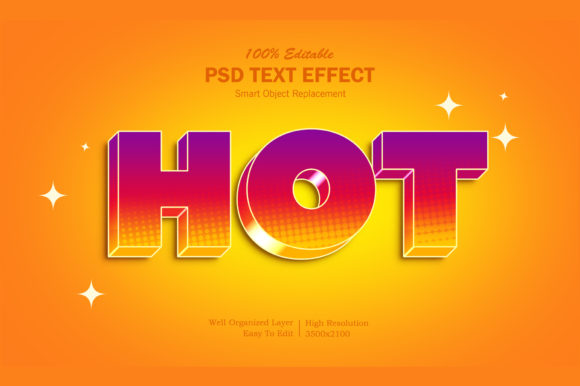
The 3D Hot Style Photoshop Text Effect is more than just a premium font; it's a complete design package. The effect features a high-resolution canvas (3500x2100 at 300 dpi), ensuring that your final output looks sharp on both digital and print platforms. The layered structure is meticulously organized, which makes customization intuitive even for those who aren’t seasoned in graphic design. But what really sets this apart is its use of smart objects — a feature that allows you to edit the text without compromising the quality of the effect.
Inside the PSD file, there's a clearly labeled smart object named "Your Text." By double-clicking into it, you can replace the placeholder with your own wording and instantly see how it integrates into the full design. This seamless workflow is perfect for anyone needing to produce multiple variations quickly, such as branding assets or marketing banners.
Visual Characteristics and Appeal
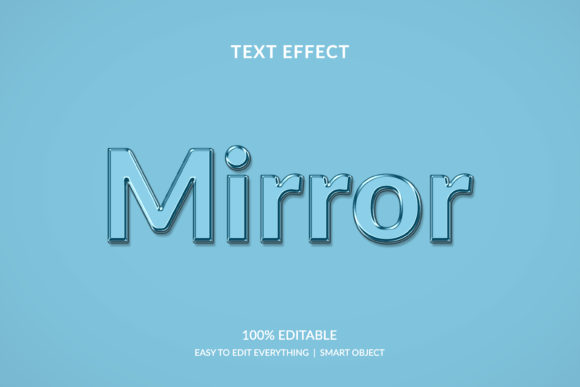
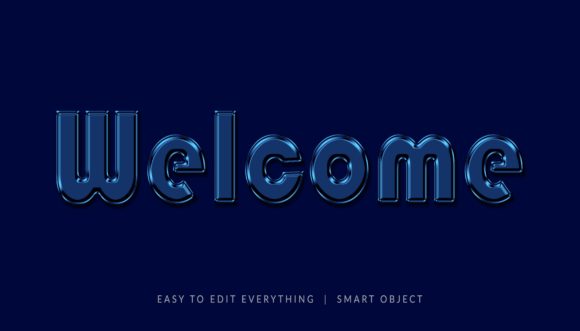
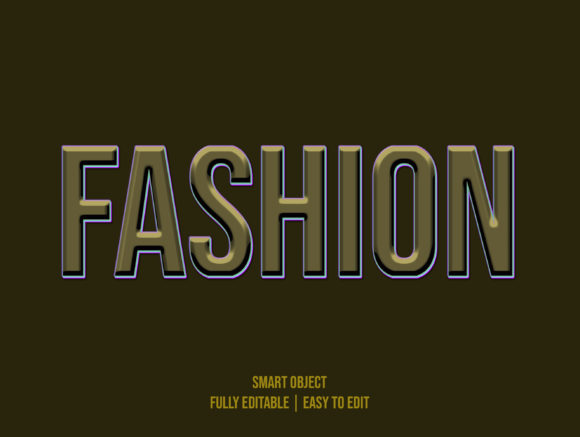
This text effect combines the warmth of traditional letterforms with the edginess of contemporary design. It has a vibrant 3D look enhanced by subtle gradients and highlights, giving it a dynamic feel that catches attention. The overall style is clean but not minimalistic, making it suitable for both playful and professional contexts. Its personality is bold and confident — ideal for headlines, titles, and other focal elements where you want the viewer to stop and look.
Unlike many display fonts that can become overwhelming when used too frequently, the 3D Hot Style Photoshop Text Effect maintains a balance between eye-catching detail and readability. It works especially well in large sizes, where the 3D depth enhances legibility and impact. The effect is versatile enough to adapt to different color schemes and backgrounds, allowing for creative freedom while maintaining a cohesive look.
Where to Use the 3D Hot Style Photoshop Text Effect
This effect shines across a wide range of applications. In web design, it can be used to highlight key messages on landing pages, call-to-action buttons, or navigation menus. For social media graphics, it adds a sense of urgency and professionalism to posts, whether they’re for YouTube thumbnails, Facebook covers, or Twitter headers.
In brand identity projects, the 3D Hot Style Photoshop Text Effect can serve as the foundation for logos, taglines, or event announcements. It’s also a great fit for editorial design, such as magazine covers or book titles, where a striking title can set the tone for the entire publication. For packaging design, it helps product names stand out on shelves, drawing potential customers in with its polished finish.
- Website Elements: Headings, hero sections, and interactive buttons benefit from the 3D depth and clarity of this effect.
- Marketing Materials: From flyers to poster designs, it adds a professional touch that aligns with modern aesthetics.
- Personal Projects: Greeting cards, birthday banners, and personal illustrations get a stylish upgrade with minimal effort.
- Commercial Applications: T-shirt designs, clothing labels, and branded merchandise can leverage the effect to enhance visual appeal.
Design Considerations and Best Practices
While the 3D Hot Style Photoshop Text Effect is incredibly easy to use, thoughtful application ensures maximum effectiveness. Start by evaluating the purpose of your project. Is the text meant to convey authority? Then pair it with a strong sans-serif font. If it needs to feel more artistic, consider combining it with a script typeface in supporting roles.
Font pairing is crucial. The 3D nature of the text means it should be balanced with simpler fonts to avoid clutter. For instance, using a sans serif font for body copy next to the 3D headline creates a harmonious contrast. Always test how the effect looks at different sizes and on various backgrounds before finalizing your design.
Readability shouldn't be overlooked. While the effect is visually rich, it’s best suited for short phrases rather than long paragraphs. Use it strategically to draw attention to key words or sentences. Also, ensure that the colors you choose complement the gradient layers of the effect to maintain its vibrancy and clarity.
Why This Effect Enhances Brand Perception and Engagement
Typography plays a vital role in shaping how audiences perceive a brand. The 3D Hot Style Photoshop Text Effect communicates professionalism and creativity simultaneously. When used correctly, it reinforces brand recognition by creating a consistent and memorable visual language across all touchpoints.
Consider a scenario where a small business owner is launching a new line of eco-friendly products. Using this effect for the product title in packaging design can evoke a sense of innovation and sustainability — two values often associated with modern brands. Similarly, a blogger might use it in a cartoon-style title for a fun post, adding a whimsical yet professional edge to their content.
The effect also supports visual hierarchy, helping viewers quickly identify important information. In banner promotions, for example, placing the main message in 3D text draws the eye first, guiding the audience toward the intended action. This makes it a valuable asset for marketers and publishers aiming to increase engagement through effective design.
Getting Started: What You Need to Know
To begin using the 3D Hot Style Photoshop Text Effect, simply open the provided PSD file. The smart object layer is ready for your input, so after replacing the text and saving, the changes will appear in real-time. This streamlined process is especially beneficial for entrepreneurs and hobbyists who may not have the time or resources to build custom effects from scratch.
The package includes one PSD file, one image file, and a helpful Read Me.txt document. These files give you the flexibility to work in Photoshop for full customization or use the pre-rendered image for quick deployment. The documentation explains each element clearly, making it easy to understand the structure and modify it as needed.
Before applying the effect to your final project, review the included styles and experiment with different color combinations. Try overlaying it on solid colors, gradients, or textured backgrounds to find the most compelling presentation. Also, keep in mind the commercial licensing terms if you plan to use it for client work or public-facing projects.
Real-World Applications and Creative Tips
One of the strengths of the 3D Hot Style Photoshop Text Effect is its adaptability. Here are some practical examples of how it can be used effectively:
- YouTube Thumbnails: Use it to highlight video titles or keywords. The 3D effect increases visibility and click-through rates.
- Logo Presentations: Combine the effect with a minimalist background to showcase the logo in a dramatic yet refined manner.
- Event Posters: The boldness of the text makes it perfect for announcing conferences, product launches, or special events.
- Clothing Designs: Apply it to t-shirts or hoodies for a modern, edgy look that stands out in retail settings.
- Editorial Work: Use it sparingly in magazine layouts or blog headers to add interest without overwhelming the reader.
For a more experimental approach, try adjusting the lighting or shadow angles within the smart object to create unique variations. Layering it with additional design assets like icons or illustrations can further elevate your composition. Just remember to maintain contrast and legibility — these are essential for any successful typographic design.
Another tip is to consider the emotional tone of your project. The 3D Hot Style Photoshop Text Effect has a youthful and energetic vibe, so it works particularly well for brands targeting Gen Z or millennials. However, with the right styling and context, it can also be used in more mature or sophisticated designs by toning down the colors or blending it subtly into the background.
A Designer’s Perspective: Practical Value Over Flash
As a designer, I value tools that streamline my workflow without sacrificing quality. The 3D Hot Style Photoshop Text Effect fits this perfectly. It eliminates the need for complex manual rendering of 3D text, which saves time and reduces errors. The well-organized layers allow for precise adjustments — something that can be tricky with other pre-made text effects.
I’ve used this effect in several branding projects, including a recent redesign for a local café. The logo incorporated the 3D text for the name, while the supporting details were kept in a simple serif font. The result was a fresh, modern look that resonated with the café’s target demographic — young professionals and students. It helped the brand feel current and inviting, while still maintaining a sense of quality and consistency.
Its utility extends beyond just text — I've seen it paired with hand-drawn illustrations for posters, or used as a backdrop element in UI mockups. The key is knowing when and how to apply it to support the message rather than distract from it.
Final Thoughts and Recommendations
The 3D Hot Style Photoshop Text Effect is a must-have for any designer’s toolkit. It’s not only easy to edit but also highly adaptable to different creative needs. Whether you're working on a personal project or a commercial campaign, this effect gives you the ability to produce high-quality visuals efficiently and consistently.
If you're new to working with smart objects or layered PSD files, take a moment to explore the structure and experiment with minor tweaks. The learning curve is gentle, and the payoff is significant. Once you get comfortable with it, you’ll appreciate how much faster it becomes to prototype and finalize text-based designs.
And remember, always test how it looks across various mediums. View your designs on mobile screens, print them out at scale, and check for legibility under different lighting conditions. These small steps help ensure your final product looks great wherever it appears.
Thanks for taking the time to read this. If you found the 3D Hot Style Photoshop Text Effect useful for your workflow, please consider rating it. Your feedback helps creators and designers alike find the best tools for their projects.