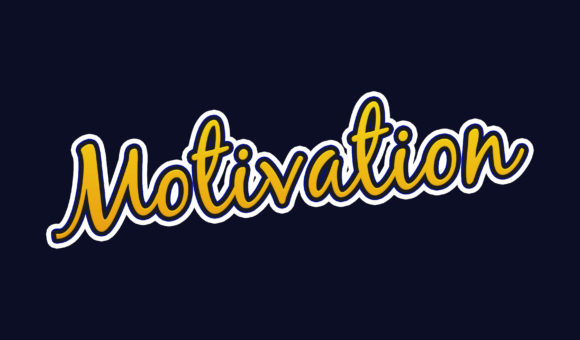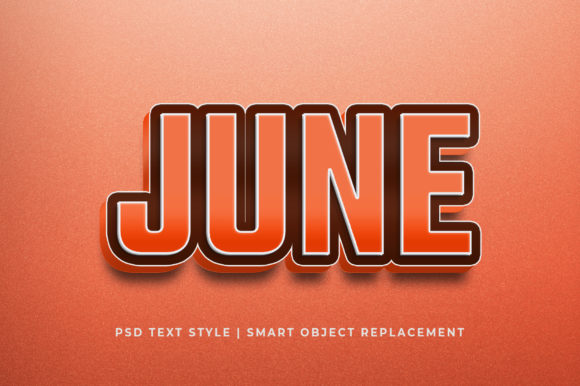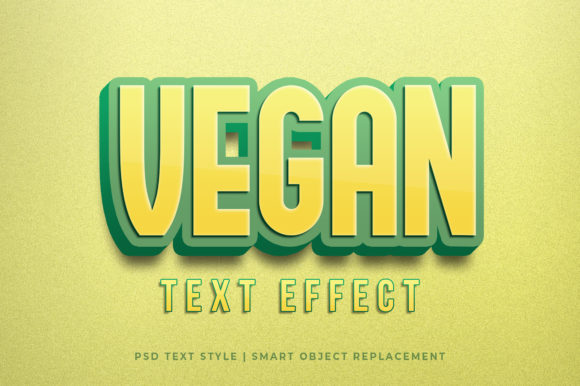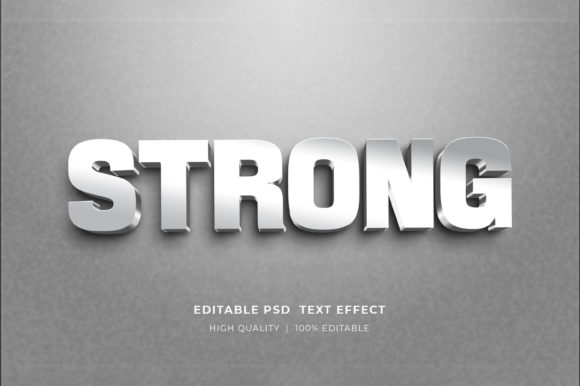
Funny 3D Photoshop Text Effect for Creative Projects
Adding a touch of fun and visual flair to your text can transform any design from ordinary to extraordinary. The Funny 3D Photoshop Text Effect is a powerful graphic resource that simplifies this process, offering a high-quality, customizable effect you can apply with just a few clicks. Whether you're designing for the web, print, or personal use, this tool provides a quick and effective way to enhance your text creatively without needing advanced skills.
What Is the Funny 3D Photoshop Text Effect?
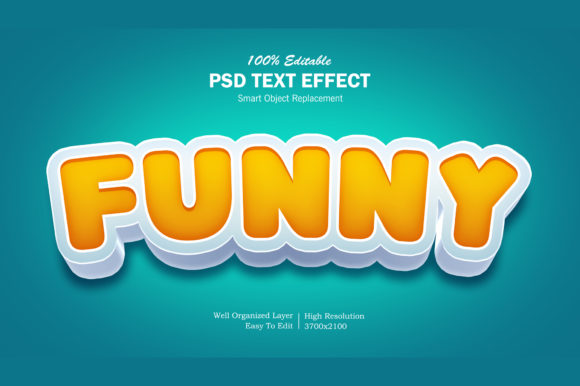
The Funny 3D Photoshop Text Effect is a pre-designed Photoshop file (PSD) that allows users to apply a vibrant, three-dimensional style to their text. This effect is ideal for adding humor, pop, or whimsy to titles, logos, banners, and other text-based designs. The package includes:
- A high-resolution PSD file (3500x2100 pixels at 300 dpi)
- An image file for quick use in non-Photoshop projects
- A well-organized layer structure for easy customization
- A "Read Me.txt" help file guiding you through the setup
One of the standout features is the use of Smart Objects, which means you can edit the text directly by double-clicking the smart object layer, updating it, and saving—changes instantly reflect on the main design. This makes it incredibly user-friendly and versatile for both quick edits and more complex customizations.
Why It Matters to Different Audiences
This 3D text effect may appeal differently depending on who's using it. Here’s how various professionals and hobbyists might find value in it:
For Beginners: A Gateway to Creative Design
If you're new to Photoshop or graphic design in general, the Funny 3D Text Effect serves as an excellent starting point. Its intuitive layout and smart object functionality mean you don’t need to know advanced techniques like layer blending modes or depth mapping to get great results. You can focus on experimenting with colors, fonts, and styles while learning the basics of working with layers and effects in Photoshop.
Practical Example: A beginner blogger looking to create engaging social media posts for their fashion blog can quickly generate a funny cartoon-style title using this effect. No prior experience needed—just open the PSD, change the text, and export!
For Creators and Artists: A Tool for Visual Storytelling
Graphic artists and illustrators often seek tools that spark creativity and streamline repetitive tasks. The Funny 3D Text Effect adds a playful dimension to designs, making it perfect for character-driven content, animated posters, or digital illustrations where humor plays a key role. The high resolution ensures that the final output looks crisp and professional across all platforms.
Practical Example: An animator could use this effect to add humorous dialogue bubbles to a short video project, enhancing the visual storytelling without spending hours tweaking each element manually.
For Business Owners and Marketers: Branding with Personality
Business owners and marketers understand the power of branding. A unique text effect can make your promotional materials stand out. The Funny 3D Text Effect offers a lighthearted yet professional approach to creating eye-catching banners, posters, or website headers. For brands targeting younger audiences or those with a playful tone, this effect can be especially valuable.
Practical Example: A small café launching a summer campaign might use this effect to create a funny banner promoting “Cupcakes & Chill” with a 3D twist, attracting attention on their website and social media channels.
For Educators and Tutors: Teaching Practical Skills
Educators who teach graphic design or digital art can leverage this resource to demonstrate how Smart Objects work and how to customize pre-made templates. It’s also a great way to introduce students to the concept of applying effects efficiently and professionally, helping them grasp real-world workflows early on.
Practical Example: In a classroom setting, a teacher might assign students to modify the Funny 3D Text Effect with different phrases to practice editing layers and understanding resolution settings for print versus web.
For Freelancers and Publishers: Speed and Flexibility Meet Creativity
Freelancers and publishers often juggle multiple projects with tight deadlines. Using pre-made assets like the Funny 3D Text Effect can save significant time while maintaining creative quality. The flexibility of being able to adjust every aspect of the text—from font choice to color schemes—makes it suitable for a wide range of clients and industries.
Practical Example: A freelance designer working on a client’s YouTube channel might create a series of funny 3D thumbnails using this effect, ensuring consistency while speeding up the production process.
For Hobbyists and Consumers: Fun and Accessibility in One Package
Hobbyists and casual creators enjoy experimenting with design but may not have the time or budget to invest in expensive software or training. This resource gives them access to a pro-level effect they can tweak easily for personal use, such as greeting cards, memes, or custom t-shirts. The included Read Me file ensures even those with minimal experience can follow along smoothly.
Practical Example: A DIY enthusiast planning a birthday party could use the Funny 3D Text Effect to create themed invitations or decorations, bringing a personalized and amusing touch to the event.
Priorities That Matter Most to Each Group
When considering whether the Funny 3D Photoshop Text Effect fits your needs, it helps to look at what matters most to your role or goals:
- Beginners prioritize ease of use and learning potential. They want something that works immediately and helps them build confidence in Photoshop.
- Professionals care about quality, speed, and commercial viability. They need assets that are scalable, high-res, and adaptable to various project types.
- Marketers look for effects that align with brand personality and audience engagement. The ability to create consistent, attention-grabbing visuals is essential.
- Artists appreciate flexibility and creativity. They want to push the boundaries of the template, maybe even combine it with other elements or animations.
- Consumers value affordability and simplicity. They want ready-to-use designs that require little effort but deliver big impact for personal or small-scale use.
How to Use the Funny 3D Text Effect
Using this effect is straightforward. Here's a quick breakdown of the steps:
- Open the provided PSD file in Adobe Photoshop.
- Locate the smart object named "Your Text."
- Double-click the smart object to open it in a new window.
- Edit the text inside, choose a new font if desired, and click Save.
- Return to the main file—the changes will appear automatically.
- Adjust colors, lighting, or positioning if needed before exporting your final design.
This seamless workflow allows for fast iterations and makes it easy to test different variations for your specific project.
Real-World Applications
Here are some common scenarios where this effect shines:
- Social Media Covers: Create Facebook or Twitter covers that pop with fun 3D text, especially during holidays or special events.
- YouTube Thumbnails: Grab viewers’ attention with colorful, animated-style titles that match the tone of your videos.
- Website Headers: Add a humorous or engaging headline to a landing page or blog post.
- Print Materials: Use the high-res version for posters, flyers, or greeting cards that maintain clarity when printed.
- Merchandise Designs: Apply the effect to t-shirts, mugs, or clothing items for a trendy, modern look.
Is This the Right Fit for You?
Consider the following questions to determine if the Funny 3D Text Effect suits your needs:
- Do you need a quick and easy way to apply a 3D effect to your text without complex tutorials?
- Are you looking to enhance your designs with a humorous or cartoonish style?
- Will your project benefit from a high-resolution file that scales well for both web and print?
- Do you prefer having full control over text, colors, and layout within a structured template?
If you answered yes to any of these, then this resource is worth exploring. It’s particularly suited for anyone aiming to balance creativity with efficiency, regardless of their skill level.
Final Thoughts
The Funny 3D Photoshop Text Effect isn't just another design asset—it’s a practical solution for adding visual interest and humor to your text-based projects. With its smart object feature, high resolution, and organized layers, it bridges the gap between beginner accessibility and professional-grade design. Whether you're crafting a logo, designing a poster, or sprucing up a website header, this effect has the potential to bring your vision to life with minimal hassle.
Thanks for reading—and remember, if you give it a try, feel free to rate it and share your feedback! Your input helps others discover the right tools for their creative journeys.